
Computers
Mac, Windows and Linux. On a Mac, KolWrite can also record the computer's own sound, for example a webinar playing in the browser.
Every device
Your recordings, transcripts and notes follow your account.
Live demo
Runs in your browser.
Record a lecture on the Apple Watch, fix the speakers on a laptop that evening, and send the subtitles from your phone the next morning.
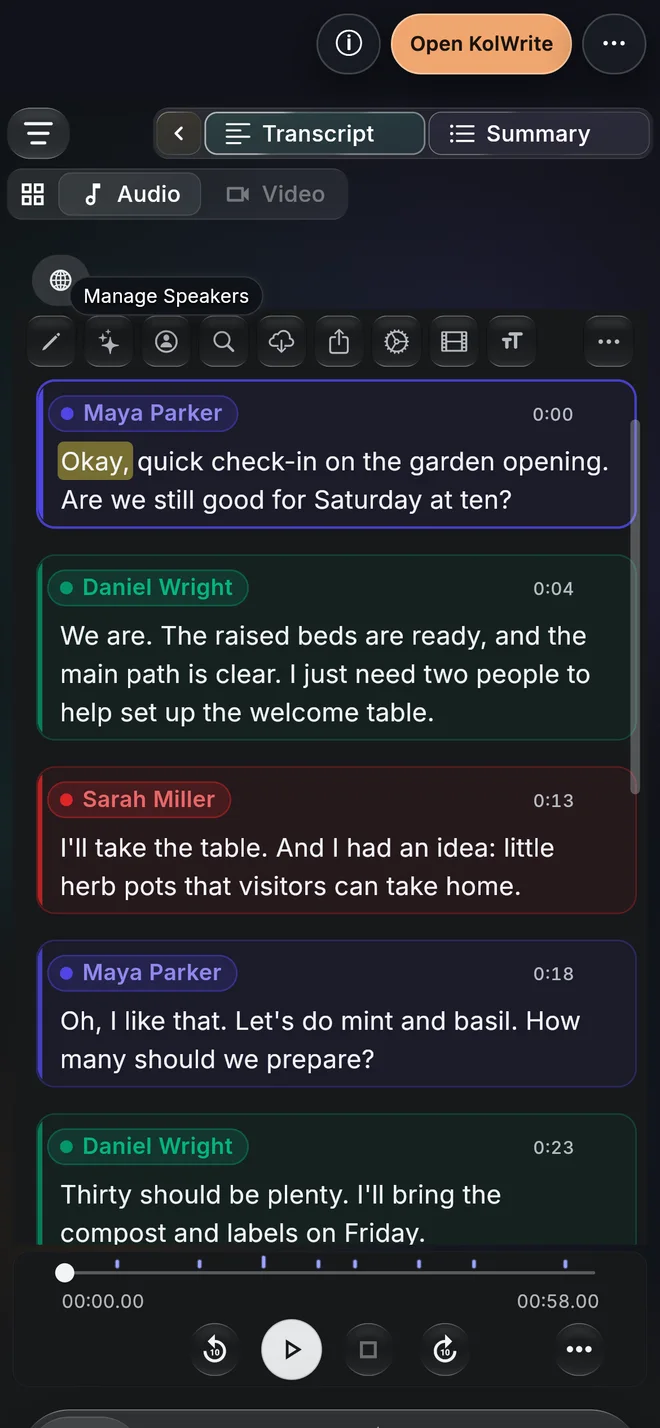
The same account and the same recordings on each of these.
Mac, Windows and Linux. On a Mac, KolWrite can also record the computer's own sound, for example a webinar playing in the browser.
iPhone and iPad from the App Store, Android from Google Play. Share a voice message or a video from another app straight into KolWrite.
The Apple Watch app records on your wrist and uploads to your account by itself. The web app runs in a browser with nothing to install.
You should not have to email files to yourself.
Recordings, transcripts, edits and notes sync through your account, so a fix made on the phone is already on the computer.
Type notes on a laptop while the phone records, and each note links to its moment in the recording.
A recording backs up to your cloud storage while it runs, so it can be finished on another device if the first one fails.
Most features are everywhere. A few depend on what the device can do.
Phones and computers can transcribe with the on-device model.
Rendered on the device on phones and computers. On the web the cloud renders them for credits.
Recognizing saved people by face and voice works everywhere except Linux.
Use the same account on each device.
Watch, phone or computer: whichever is closest.
Fix speakers and timing on a big screen.
Export a file or send a link from any device.
You can also run everything KolWrite does with a recording through our API. Send the address of an audio or video file from your own code or an AI coding agent, and you'll get back the transcript with word timings, speaker labels, and an SRT file if you request one.
The JSON output gives you the start and end time for every segment, plus individual word timings on models that support alignment. Turn on speaker separation to include a speaker label on each segment.
Pass output_format as srt if you want subtitles directly from the API. If you are using the Oracle models, you can also set translate_to to get the text back in another language.
The API console publishes plain-text instructions for an agent to read before writing code. This includes agent-instructions.md, along with llms.txt, which links to the full reference.
Mac, Windows and Linux computers, iPhone and iPad, Android phones and tablets, the Apple Watch, and current web browsers. Downloads and store links are on the home page under Where it runs.
Yes. Recordings, transcripts, edits and notes sync through your KolWrite account and its cloud storage.
Yes. The watch uploads the recording to your account by itself, without a phone. Open it on the computer to transcribe and edit it.
Yes, a DEB package. Recognizing saved faces and voices is not available on Linux yet.
No, the web app works in a browser. The apps add what a browser cannot do, such as recording with the screen off on a phone or recording the computer's own sound on a Mac.
Yes. Your plan belongs to your account and applies on every device you sign in to.
Sign in, and what you recorded elsewhere is already there.