The short version
- Transcribe the original file first. Only bother cleaning the audio if that first transcript is clearly not good enough.
- Low volume is the easiest issue to fix. Clipping, heavy echo, and loud overlapping voices are the hardest.
- Heavy noise reduction can strip out parts of the speech along with the background noise, which hurts your transcript.
- Always edit a copy of the file so you never overwrite the original recording.
- Good recording habits beat any filter. Put the microphone closer and pick a quieter room.
Should you clean the audio at all?
Run the original file through transcription first. Modern speech recognition trains on messy audio, so recordings that sound rough to you will often still give a usable transcript. If that first draft does the job, stop there. Every filter you run risks damaging the voice.
If the text comes back with frequent gaps or obvious errors, put on headphones and listen for what is actually going wrong. Maybe the volume is too low, or there is a steady hum. Maybe the room echoes, or someone's voice is clipping. Each problem needs a different fix, and some cannot be fixed at all.
To save time, snip a one-minute sample from the roughest part of the recording, like the noisiest section or the quietest speaker, and transcribe just that clip. You will see right away how the software handles your problem, and you will have a baseline to compare against if you decide to edit the audio.
What can you do about a quiet recording?
Turning up the volume (often called normalizing) is safe and is often enough on its own. It brings the loudest part of the file up to a standard level and pulls the speech up with it. This works well if the track is quiet but clean, like when a phone was set too far away in a calm room.
It does not work as well if a quiet voice is competing with loud background noise, because turning up the track makes both louder. Someone sitting far from the mic also picks up more room echo compared to their voice, and boosting the volume will not separate the two. If just one speaker is much quieter than everyone else, gently turn up only their sections instead of the whole file.
Skip automatic gain controls that boost the level during pauses. They pull up background noise between sentences and make it harder to catch quiet words when someone starts talking again. A steady, reasonable recording level is more reliable than one that keeps shifting on its own.
Does noise reduction help?
Light noise reduction on steady background sounds, like an air conditioner or a humming power supply, can help a human listener. For transcription, it helps less than people expect, and a heavy setting often does damage. Because the filter cannot completely tell the noise apart from the quiet edges of consonants, it strips out some of both and leaves the voice sounding watery.
A safe place to start is a filter that cuts low-frequency rumble, which clears out traffic and mic-handling noise below the pitch of a human voice. If you want to try anything stronger, test it on a short clip first. Transcribe the before and after versions, and keep whichever one gives you better text, even if the other one sounds nicer to listen to.
Changing noise is much tougher to clean up than a steady hum. If someone else is talking nearby, or you recorded in a cafe, on a street, or in a crowd, a filter cannot strip that out without hurting the main speaker's voice. The background noise sits in the exact same frequency range as the speech you want to keep.
Can echo and room sound be removed?
Only partly, and it rarely turns out well. With echo, every sound hits the microphone twice, a split second apart, and that delayed bounce blurs the consonants. De-reverb tools can tone this down when a single person is speaking in a room, but they cannot put back the details that the echo smeared over.
If you are dealing with echo, the real fix is for your next recording. Pick a smaller or softer room, bring the microphone closer, and get the speaker nearer to it. For the recording you already have, plan on checking the transcript more closely wherever words run together.
What about distorted or clipped sound?
Clipping happens when the sound is too loud for the recorder to handle, which chops the tops right off the audio wave. That part of the recording is gone for good, and no filter can bring it back. De-clipping tools try to guess the missing peaks so the audio sounds less harsh, but they will not recover lost words.
Lowering the volume on a clipped track will not fix it either, since the distortion is already recorded into the file. This is another problem you can only prevent while recording. Turn the input gain down a bit, and move loud speakers a hand's width further back from the mic. It is much safer to have your levels peak well below the limit than right up against it.
What is a sensible cleaning workflow?
Work on a copy of the file. Filter out low rumble, gently even out the volume, and only cut long stretches of silence or stray noise if they are actually getting in your way. Export to a common format at standard quality, and do not compress the audio more than once. If you cannot tell whether your edits helped, upload both the original and the cleaned copy, then compare the two transcripts on the sentences that matter.
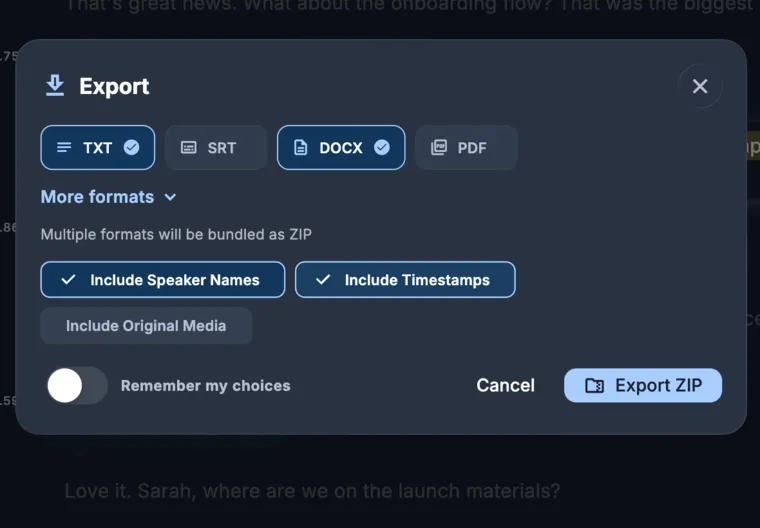
Either way, check names, numbers, and quotes against the recording. Automatic transcripts have mistakes, and poor audio makes them more likely. In KolWrite, you can play the audio right alongside the timestamped text to check any passages you are unsure about, then export the corrected text as TXT, DOCX, PDF, or SRT.
Common questions
Will noise reduction improve my transcript?
Light noise reduction on a steady hum can help. Pushing it too far often strips out parts of the voice and makes the transcript worse, so test it on a short clip first.
How do I fix audio that is too quiet?
Make a copy of the file and raise the volume or normalize it. This works well as long as the recording is clean and just low in volume.
Can echo be removed from a recording?
Only partly. You are much better off preventing it by recording in a room with softer surfaces and keeping the microphone closer.
Can distorted audio be repaired?
Not really. Once audio clips, that part of the signal is gone for good. Turn down your recording level next time to avoid it.
Should I upload the cleaned file or the original?
Start with the original. If the transcript comes back rough, run a lightly cleaned copy as well and keep whichever one gives you more accurate text.