
The short version
- Transcribe every episode, then use that text as raw material to build the page rather than just pasting it as-is.
- Put a brief summary, timestamped chapters, one or two quotes, and all mentioned names and links into your show notes.
- Base your chapters on where the topic actually changes in the text, not on arbitrary time intervals.
- A checked transcript lets deaf, hard-of-hearing, and reading-focused audiences follow the show, and gives search engines text they can index.
- Automated text has mistakes, so verify names, titles, and links against your own notes before you publish.
Why publish show notes and a transcript?
You can't skim an audio file. When someone is deciding whether to spend an hour on your show, all they usually see is a title and a couple of sentences. Good show notes quickly tell them who is talking, what the episode covers, and whether it is worth their time. They also make it easy for regular listeners to come back later and find the exact minute a guest mentioned a book.
Full transcripts take this further. Some people simply prefer reading, some are deaf or hard of hearing, and others read along to follow a second language. A transcript also helps people find you through search engines, which can read text on a page but cannot listen to audio. Having the guest's exact words on your site won't guarantee a search ranking, but it gives the page a shot that an audio player alone never gets.
How do you get a workable transcript?
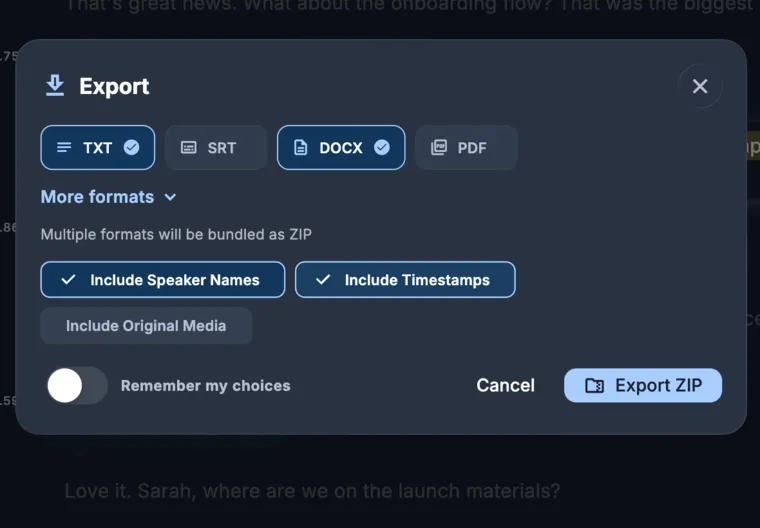
Begin with the highest-quality file you have, using the full-resolution recording from your editing software instead of a low-bitrate copy from a hosting service. Once you upload the file, you get a transcript with speaker labels and timestamps. Because KolWrite exports subtitle files too, that one upload gives you both a text transcript for your webpage and captions for your video version.
Start by cleaning up the obvious mistakes. Swap out generic speaker tags for the actual names of the host and guests, double-check the numbers, and fix the spelling of people and companies. Podcasts are packed with the exact things automated transcription struggles with: proper nouns, brand names, titles, and industry jargon. If you misspell a guest's name in the notes, they will notice.
Decide how heavily you want to edit the public transcript. Some shows leave every word in, while others cut false starts and filler words so the page is easier to read. Either works, as long as you add a quick note at the top telling readers which approach you took.
What should show notes include?
Stick to the same layout so returning readers know right where to look. Give the page a plain, descriptive title, followed by a two- or three-sentence summary that names the guest and the central question. Underneath that, add your chapters with timestamps, one or two standout quotes, and a list of the people, books, tools, and links that came up.
Write the summary for a newcomer. Skip the inside jokes and show shorthand, and be specific about what the episode covers. Telling a reader they will hear "how a small bakery priced its bread when flour costs doubled" gives them a real reason to press play, while "an inspiring conversation about business" tells them almost nothing.
Put the housekeeping at the bottom: where to subscribe, how to reach you, and who produced the episode. If you have sponsors, follow the advertising disclosure rules for your region and keep the ad copy clearly separate from your editorial notes.
How do you create chapters?
Read through the transcript and mark the spots where the subject changes. That might be a move from background info into the main topic, a transition from a story to the takeaway, or a new question from the host. Note the timestamp at each turn and write a short heading. Most conversations break down naturally into chapters of three to eight minutes, though a long story might run longer.
Write chapter titles that describe the topic itself rather than the host's question. "Starting the business" is much easier to scan than "Tell me how you began." A clear list of chapters also doubles as a table of contents for the transcript below.
Pull your timestamps from the transcript, then check a few of them against the final exported audio to make sure the timing didn't drift during editing. If you drop those timestamps into the episode description, many podcast apps and video platforms will automatically turn them into clickable chapter markers.
How do you select and verify quotes?
Look for short, specific quotes that hold up on their own. If a line makes sense out of context, it works well as a pull quote on the episode page, an opener for a newsletter, or a social post. Scan the transcript for spots where the guest paused, laughed, or said something unexpected.
Before you publish a quote in writing, play back that part of the audio. Automated tools sometimes miss a short word like "not" and completely flip what the speaker meant. It is fine to trim out filler words, but the meaning has to stay intact. If you want to edit a guest's words more heavily to make them shorter, ask their permission first.
The timestamps in your transcript also help you find and cut audio or video clips quickly. Since many people scroll through social feeds on mute, put captions on any clips you share. KolWrite lets you export SRT and VTT files, or burn the captions straight into the video.
How should you publish the episode page?
Put your summary and chapter list right at the top of the page, and leave the full transcript further down for anyone who wants to read the whole thing. Break the text up with clear headings. Put the guest's name and the main topics in the page title or the first few lines, using the everyday words people actually type into search engines. Keep the page in the same language as the episode; if you have audiences in more than one language, give each language its own separate page.
Include links to the guest's site, the books and tools they mentioned, and any older episodes of your own show that cover similar ground. Click through every link to make sure it works before you publish, and if you fix something in the text later on, leave a short correction note at the bottom.
Don't forget to make the episode accessible. For an audio show, a reviewed transcript is the first step toward accessibility, while captions do the same job for video. Check with your guests to make sure they are comfortable with you publishing the transcript and quotes, and if they ask to have specific remarks removed, honor that request.
Common questions
Do I need to publish the full transcript?
You don't have to, though it makes the show more accessible and lets people skim the conversation. If you do put it online, read through it for errors first and add a note saying whether it is word-for-word or lightly edited.
How long should show notes be?
They just need to be long enough to cover a clear summary, your chapters, the links, and one or two quotes. On a typical episode, that works out to a few hundred words plus the chapter list.
Can I generate chapters automatically?
Having a timestamped transcript makes it much quicker to find where topics shift, but a human editor still needs to write the headings and double-check the times.
Does a transcript help people find my podcast?
Yes, in the sense that it gives search engines actual text to index, though nothing guarantees where you will rank. Just as important, it opens your episode up to people who can't listen to audio or prefer reading.
Can KolWrite create captions for a video podcast?
Yes. You can export SRT and VTT subtitle files from your KolWrite transcript, or have it burn the captions straight into the video file. Just be sure to review the text before you publish.

